Product photo sorter.
Main, lifestyle and detail shots.
Separate studio catalog dumps into marketplace-ready folders. Clef scores each product image as a main hero shot on a plain background, a styled lifestyle scene, or a close-up detail shot—and routes borderline frames for review before ZIP export.
AlsoCheck photos against a checklist- Hero vs. lifestyle separation
- Custom catalog folders
- Calibrated confidence
- ZIP & CSV export
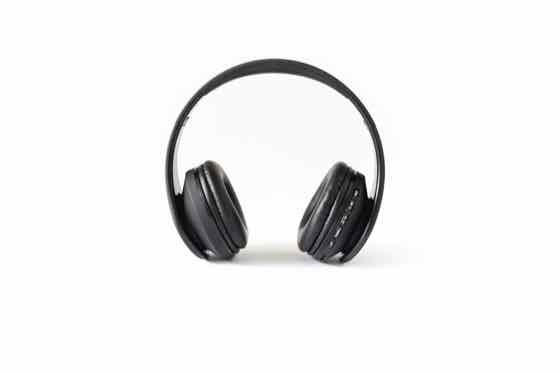 Example
headphones-white.jpg
81% Example
headphones-pink.jpg
87% Example
earbuds-flatlay.jpg
77% Example
watch-dark.jpg
40%
4 · Confirm anything marked for review, then export. The ZIP puts each image in a folder named after its category.
3 free runs · input is sent to Workers AI only, never stored
How to sort ecommerce product shoots
01
Define your catalog shot types
Start with Main photo on a plain background, Styled or lifestyle scene, and Close-up detail, or add Packaging, Size chart, and Back angle.
02
Upload your studio or supplier batch
Drop in up to 100 JPG, PNG, or WebP product images. Clef-Flash evaluates 4 images per run and returns probabilities for every shot type.
03
Review and export your folders
Confirm any borderline studio props, then download a ZIP with separate folders for main hero images, secondary gallery shots, and detail zooms.
Tips for ecommerce & marketplace catalogs
- State the background rule in your main category label—for example 'Main product photo on a plain white background'—to separate pure studio cutouts from lightly propped tabletop shots.
- Add 'Packaging or nutrition label' and 'Infographic or size chart' when sorting supplier asset packs that mix marketing graphics with raw photography.
- Once your main hero images are separated into their own folder, run them through the Product Image Checker (/product-image-checker) to verify resolution, cropping, and no-text compliance.
- Use the CSV export to map original supplier filenames to their assigned shot role before bulk-importing into Shopify, Amazon, or Pimcore.
Ecommerce shot types & marketplace roles
Separating raw supplier or studio folders by role lets you assign Slot 1 (main search thumbnail) and secondary carousel slots without opening every file.
| Shot category | Marketplace slot role | Visual traits matched | Next workflow step |
|---|---|---|---|
| Main photo on a plain background | Slot 1 (Primary search hero) | Single product centered on white/neutral ground, no props | Verify compliance in Product Image Checker |
| Styled or lifestyle scene | Slots 2–4 (Context & scale) | Product in use, model, room setting, or complementary props | Select highest-converting scene for carousel |
| Close-up detail | Slots 5–6 (Material & build) | Macro crop of stitching, ports, texture, clasp, or finish | Pair with bullet-point feature callouts |
| Packaging / Box / Label | Slot 7+ (What's in the box) | Retail box, barcode, ingredient panel, or accessory bundle | Archive for compliance or unboxing slot |
Where product photo sorting saves hours
Built for ecommerce managers, catalog ops teams, and studio retouchers handling multi-SKU supplier drops.
Supplier asset pack ingestion
Distributors send mixed folders with 30 images per SKU. Separate clean white-background hero shots from lifestyle and spec graphics in one pass.
Marketplace migration (Shopify to Amazon)
Isolate pure plain-background product shots suitable for Amazon main image slots from stylized DTC lookbook photos.
Studio post-production routing
Split raw tethered shoot folders into 'Hero cutout needed', 'Lifestyle color grade', and 'Detail crop' before assigning retouching tickets.
Pay as you go
More runs, one payment.
Buy 20 runs for $9. Use them to sort images, in the playground or in the image checker. No subscription.
One credit covers 4 sorted images, one playground run or one image check. Failed AI runs return the credit.
Pay by card, or with crypto through Infini. Local tax may be added at checkout where required.
Restore credits
On a new device? Get a restore link sent to the email you paid with, or enter the code from a recovery file.
Product photo sorter FAQ
Can it isolate main product images on a white background?
Yes. Include 'Main photo on a plain white background' as one of your categories, and Clef will score each image's match against lifestyle scenes and close-ups.
How is the Product Photo Sorter different from the Product Image Checker?
The Product Photo Sorter groups a mixed folder of images into shot types (Main, Lifestyle, Detail, Packaging). The Product Image Checker (/product-image-checker) audits each photo against a pass/fail quality checklist (1,000 px size, whole product visible, plain background, no promotional text).
Can I sort apparel shots by front, back, and flatlay?
Yes. Simply set your categories to 'Model front view', 'Model back view', 'Flatlay garment', and 'Fabric close-up'.
How many photos can I sort or rate at once?
You can drop in up to 100 photos in a single batch. Every 4 photos use one run, and your first 3 runs (up to 12 photos) are completely free with no account required.
Is this tool free to try?
Yes. Every visitor gets 3 free AI runs immediately in the browser with no sign-up or credit card. When you need larger batches, a one-time $9 pack adds 20 runs (up to 80 photos) with no recurring subscription.
Do you store or train on my uploaded photos?
No. Your photos stay in your browser until you click run, are processed transiently through Cloudflare Workers AI to compute probabilities, and are never stored in a gallery or used to train models.