AI photo sorter.
Your categories, your folders.
Type the exact folder names your workflow requires and drop in a batch of photos. The AI photo sorter assigns each image to a category with a calibrated probability, holds uncertain edge cases for human review, and exports a clean ZIP of folders plus a CSV audit log.
AlsoSort listing photos by room- 12 photos free
- No sign-up
- Calibrated probability per photo
- ZIP & CSV export
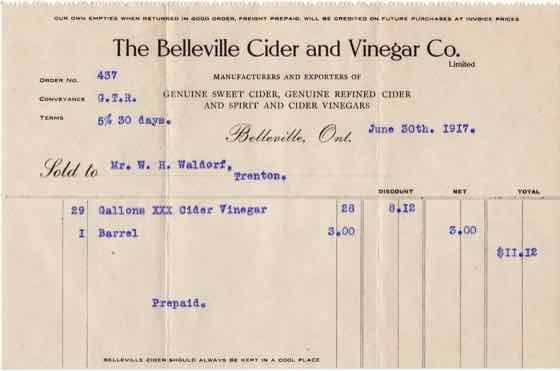 Example
invoice.jpg
97%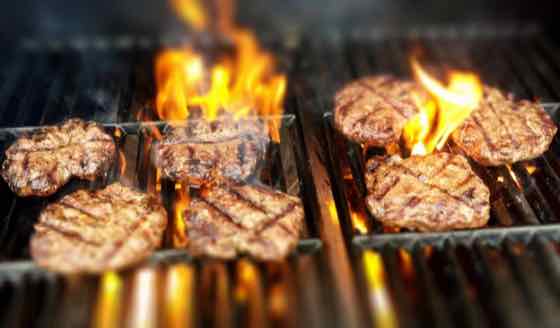 Example
burger.jpg
91% Example
bedroom.jpg
96%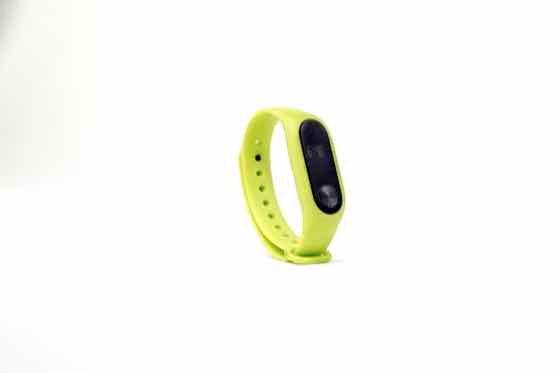 Example
fitness-band.jpg
95%
4 · Confirm anything marked for review, then export. The ZIP puts each image in a folder named after its category.
3 free runs · input is sent to Workers AI only, never stored
How the AI photo sorter works
01
Name your target folders
Write 2 to 8 categories, one per line. Concrete visual descriptions like Receipt or invoice, Food dish, or Room interior give the clearest probability separation.
02
Drop in your photo batch
Add up to 100 JPG, PNG, or WebP files at once. Clef-Flash evaluates up to 4 images per run and returns a full probability distribution across every category.
03
Review uncertain shots and export
Any photo below your confidence threshold is routed to Needs review so nothing is misfiled silently. Click once to download a ZIP with one folder per category and a CSV report.
Writing category labels that sort cleanly
- Keep categories mutually exclusive: 'Food dish' and 'Paper receipt' separate cleanly, while 'Food' and 'Restaurant' overlap on table scenes.
- Raise the confidence slider (for example to 75% or 80%) when a misfiled photo costs more time than a quick two-second manual check.
- If several photos land in Needs review, inspect what they have in common and add a dedicated folder label for that visual group.
- Use plain visual nouns rather than internal project codes—write 'Damaged cardboard box' instead of 'SKU-ERR-04' so the vision model sees what to match.
AI photo sorter vs. traditional folder workflows
Most photo organization tools lock you into fixed consumer tags (faces, pets, beaches). Clef lets you define custom operational folders and exposes calibrated model confidence on every file.
| Workflow dimension | Clef AI Photo Sorter | Consumer gallery apps | Manual drag-and-drop |
|---|---|---|---|
| Category taxonomy | 2–8 custom plain-English folders defined by you | Fixed consumer tags (people, pets, places) | Whatever folders you create by hand |
| Uncertainty handling | Calibrated probability + automatic 'Needs review' bucket | Silent misclassifications hidden inside albums | Human fatigue after 50+ repetitive files |
| Batch export format | Ready-to-use ZIP of named folders + CSV probability report | Locked inside proprietary cloud library | Local folders only, no audit trail or scores |
| Privacy & account setup | Runs in browser; 12 photos free with zero sign-up | Requires cloud sync and recurring storage plan | Local only, slow for 50–100 photo shoots |
Common batch sorting workflows
Teams and solo operators use custom probability sorting whenever mixed camera rolls or customer uploads need to be separated before publishing or archiving.
Customer upload & claim triage
Separate incoming support attachments into 'Product defect close-up', 'Shipping label or box', 'Paper receipt', and 'Unrelated screenshot' before routing tickets.
Field inspection & site audits
Sort contractor phone uploads into 'Exterior facade', 'Electrical panel', 'Serial number plate', and 'Safety hazard' with a CSV log for compliance records.
Creator & agency asset cleanup
Split mixed SD card dumps or shared drive folders into 'B-roll environment', 'Portrait / talking head', 'Product hero shot', and 'Behind the scenes' in seconds.
Pay as you go
More runs, one payment.
Buy 20 runs for $9. Use them to sort images, in the playground or in the image checker. No subscription.
One credit covers 4 sorted images, one playground run or one image check. Failed AI runs return the credit.
Pay by card, or with crypto through Infini. Local tax may be added at checkout where required.
Restore credits
On a new device? Get a restore link sent to the email you paid with, or enter the code from a recovery file.
Frequently asked questions about AI photo sorting
What types of photos can the AI photo sorter classify?
Any JPG, PNG, or WebP photo where the category is visually observable: receipts, screenshots, food menus, interior rooms, ecommerce products, vehicle damage, packaging labels, or field inspection shots.
What happens when a photo does not match any of my categories?
Every sort request includes an implicit 'None of these / Other' probability option. If 'Other' wins—or if the top category falls below your chosen confidence threshold—the photo is placed in 'Needs review' rather than forced into a wrong folder.
Can I change a folder assignment before downloading the ZIP?
Yes. Click any photo card to inspect its probability breakdown across all categories, or reassign it to another folder with one click before exporting your ZIP and CSV.
Why does Clef show probabilities instead of just picking a folder?
Single-label black-box sorters hide borderline guesses. Showing a calibrated probability (for example 94% Receipt vs. 51% Receipt) lets you trust high-confidence matches automatically and spend human attention only on ambiguous images.
How many photos can I sort or rate at once?
You can drop in up to 100 photos in a single batch. Every 4 photos use one run, and your first 3 runs (up to 12 photos) are completely free with no account required.
Is this tool free to try?
Yes. Every visitor gets 3 free AI runs immediately in the browser with no sign-up or credit card. When you need larger batches, a one-time $9 pack adds 20 runs (up to 80 photos) with no recurring subscription.
Do you store or train on my uploaded photos?
No. Your photos stay in your browser until you click run, are processed transiently through Cloudflare Workers AI to compute probabilities, and are never stored in a gallery or used to train models.